Here are the step-by-step tasks required to grant this design access, based on the AI Agent Studio Access Configuration Guide.
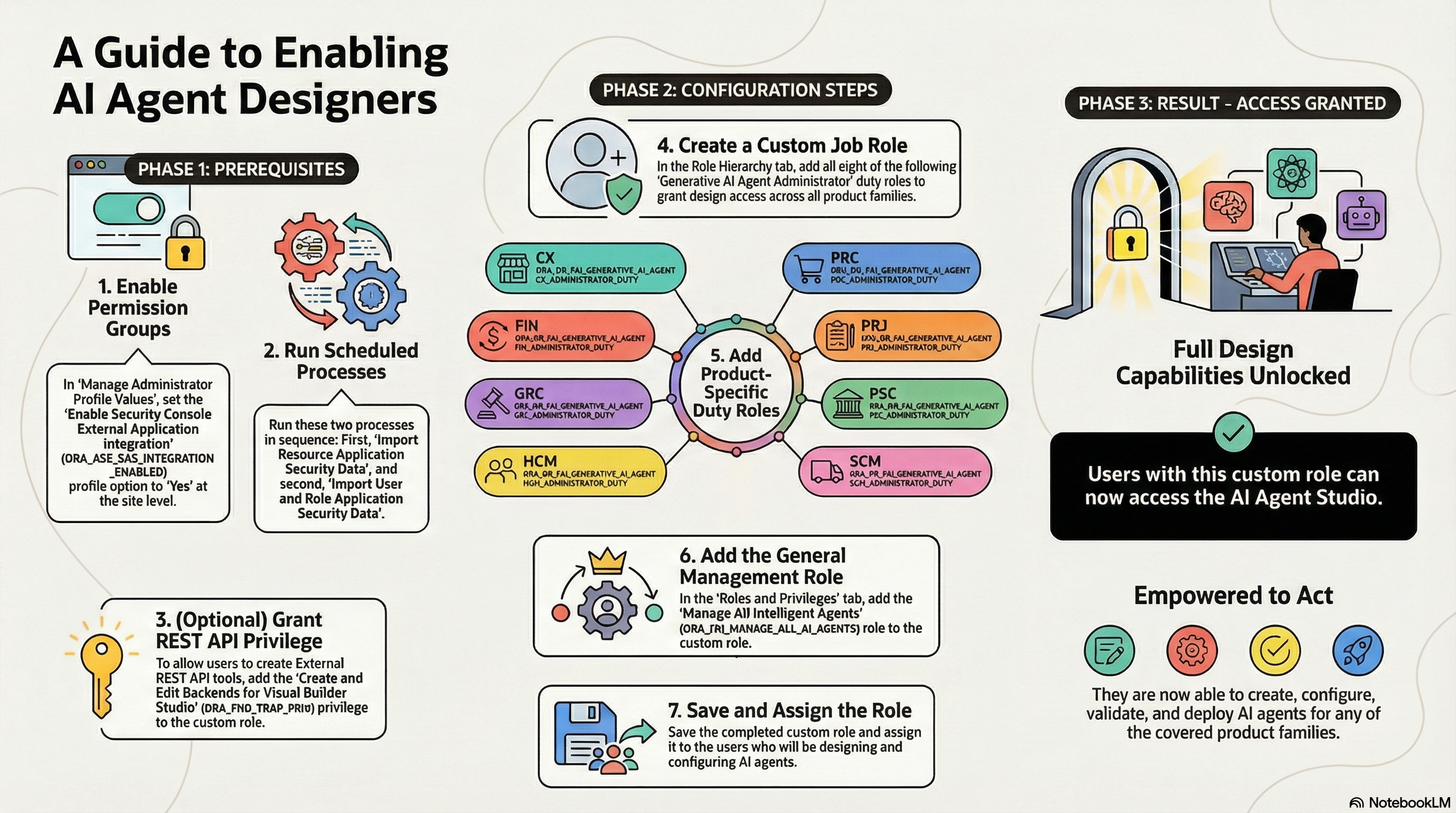
1. Complete Prerequisites
Before creating the security roles, you must configure the environment to allow the Security Console to work with permission groups.
• Enable Profile Option: Go to “Manage Administrator Profile Values,” search for the profile option ORA_ASE_SAS_INTEGRATION_ENABLED (Enable Security Console External Application Integration), and set the Site profile level to Yes.
• Run Scheduled Processes: Run the following two processes in sequence to import security data:
1. Import Resource Application Security Data.
2. Import User and Role Application Security Data.
2. Create the Custom Job Role
You must create a specific job role that acts as the “container” for the design privileges.
• Navigate to Navigator > Tools > Security Console and create a new custom job role.
• Important: Ensure you enable permission groups when creating this role.
3. Add “Administrator” Duty Roles
This is the critical step that distinguishes a “designer” from a standard user. You must add specific duty roles based on the product families the user needs to design agents for.
• For Product-Specific Design Access: On the “Role Hierarchy” page (under the Roles and Permission Groups tab), add the Generative AI Agent Administrator duty roles for the relevant areas. These include:
◦ CX: Fai Genai Agent CX Administrator Duty.
◦ Finance (FIN): Fai Genai Agent FIN Administrator Duty.
◦ GRC: Fai Genai Agent GRC Administrator Duty.
◦ HCM: Fai Genai Agent HCM Administrator Duty.
◦ Procurement (PRC): Fai Genai Agent PRC Administrator Duty.
◦ Projects (PRJ): Fai Genai Agent PRJ Administrator Duty.
◦ Public Sector (PSC): Fai Genai Agent PSC Administrator Duty.
◦ Supply Chain (SCM): Fai Genai Agent SCM Administrator Duty.
• For General Management: Go to the “Roles and Privileges” tab and add the Manage All Intelligent Agents role (ORA_FAI_MANAGE_ALL_AI_AGENTS).
4. Optional: Enable External Tool Configuration
If the user needs to design agents that utilize external REST API tools, you must add an additional privilege to the custom role:
• Add the Create and Edit Backends for Visual Builder Studio privilege (ORA_FND_TRAP_PRIV).
5. Finalize and Assign
• Save the custom role.
• Assign this role to the specific users who require access to design agents.
Result: Users with this role can access the AI Agent Studio to build and configure agents for the product families associated with the Administrator duties you assigned